Use a SERP Snippet Preview Without Inventing SEO Limits
Review a title and description together while keeping search-engine rewriting and device differences visible.
Start with the page’s real promise
Write a title that identifies the actual task or content and a description that helps a visitor decide whether to open it. The preview asks you to supply the title, URL and description; it does not fetch the page. Keep the destination consistent with the words. A useful edit makes the result understandable without adding claims about outcomes that the page cannot support.
Reproduce the sample preview
The example pairs Practical tools for small businesses with https://example.com/tools/ and a description of simple calculators and data helpers. Run it at mobile width to see the supplied copy together, then switch to desktop. The layout uses a narrower or wider illustration with title and description line clipping. The character counts are measurements of your text, not thresholds that Google has promised to display.
Compare widths without a pass label
A title can wrap or truncate differently with another font, result feature or device. The tool deliberately does not label a title as SEO-valid merely because it is under a chosen length. Put distinguishing words early, remove vague repetition and reread the title in context. Compare the same copy at both widths before shortening it so aggressively that it stops identifying the page.
| Observation | What it helps with | What remains unknown |
|---|---|---|
| Mobile illustration | Readability in a narrower layout | Exact Google rendering |
| Desktop illustration | Copy hierarchy at a wider width | Query-specific rewriting |
| Text counts | Comparing revisions | A guaranteed display limit |
| Published search result | Actual appearance for a query | Whether metadata alone caused performance changes |
No page or search result is fetched by this tool.
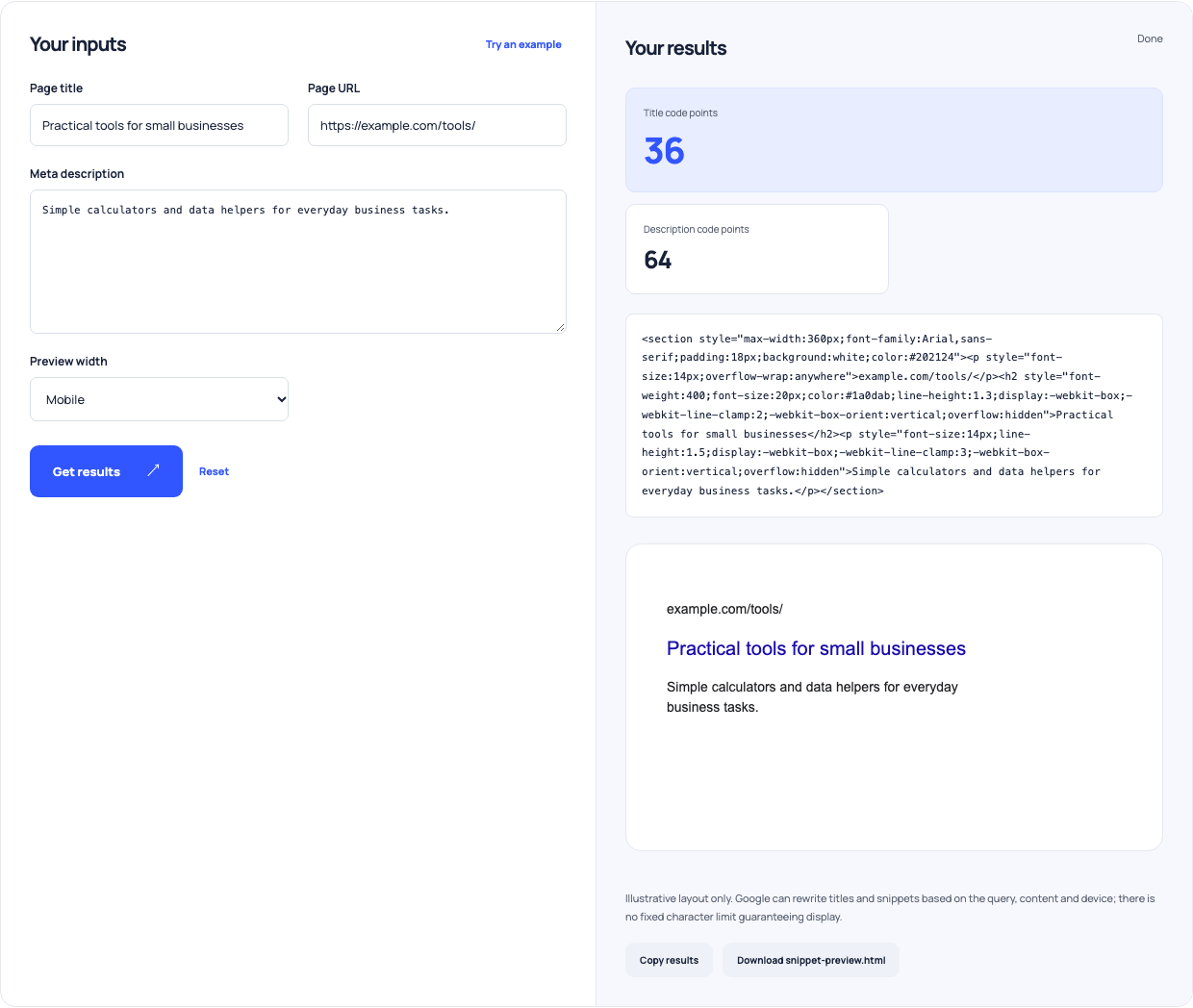
Use this example Opens SERP snippet preview with these inputs.
Keep the preview separate from indexing evidence
Google can select title text from several page signals and can build a snippet from content relevant to a query. The meta description is a candidate, not a command to show exact wording. After publishing, inspect real search appearances and use Search Console evidence when available. A local preview cannot tell you whether a page is indexed, which query triggered it or why its click-through rate changed.
Make a small, accountable edit
Keep the old and proposed text with the page URL and reason for the change. Ensure the new description remains consistent with visible content. Update the actual metadata, then verify it on the published page. If performance changes afterward, examine query mix and other changes too. The preview supports a copy review; it does not isolate the cause of a ranking or traffic result.