Base64 vs URL Encoding: Unicode, Plus Signs and Double Encoding
Inspect text encodings without treating Base64 as encryption or encoding a complete URL as one component.
Identify the input format first
A copied value may be Base64, URL-safe Base64, a percent-encoded component or ordinary text. Look at the system that produced it and the destination field before choosing a decoder. A token that contains encoded content is not protected merely because it is hard to read. Do not publish confidential values when debugging; use a small fictional example with the same encoding convention.
Reproduce a UTF-8 Base64 round trip
The Base64 encoder’s default Hello, world! becomes SGVsbG8sIHdvcmxkIQ==. Text is converted to UTF-8 bytes first so non-ASCII text and emoji work correctly. Standard output uses + and / with padding; URL-safe output uses - and _ and omits padding. The decoder checks alphabet and canonical padding bits and requires the resulting bytes to form valid UTF-8 text. This mode is not an arbitrary binary-file viewer.
Encode one URL value
The URL component example tea & coffee / 50% becomes tea%20%26%20coffee%20%2F%2050%25. Those escapes preserve the characters inside one query value or path segment. Applying component encoding to a whole URL would also escape its structural separators. Place the result into the correct component rather than treating a complete encoded URL as ready-to-open navigation. Malformed percent escapes and invalid UTF-8 produce field errors.
| Choice | Example | Purpose |
|---|---|---|
| Standard Base64 | Hello, world! → SGVsbG8sIHdvcmxkIQ== | Represent UTF-8 bytes |
| URL component encoding | A & B → A%20%26%20B | Escape one URL value |
| Form-space decoding | a+b → a b | Interpret form-encoded query spaces |
| Literal-plus decoding | a+b → a+b | Keep an actual plus character |
No secret key or confidentiality is provided by these encodings.
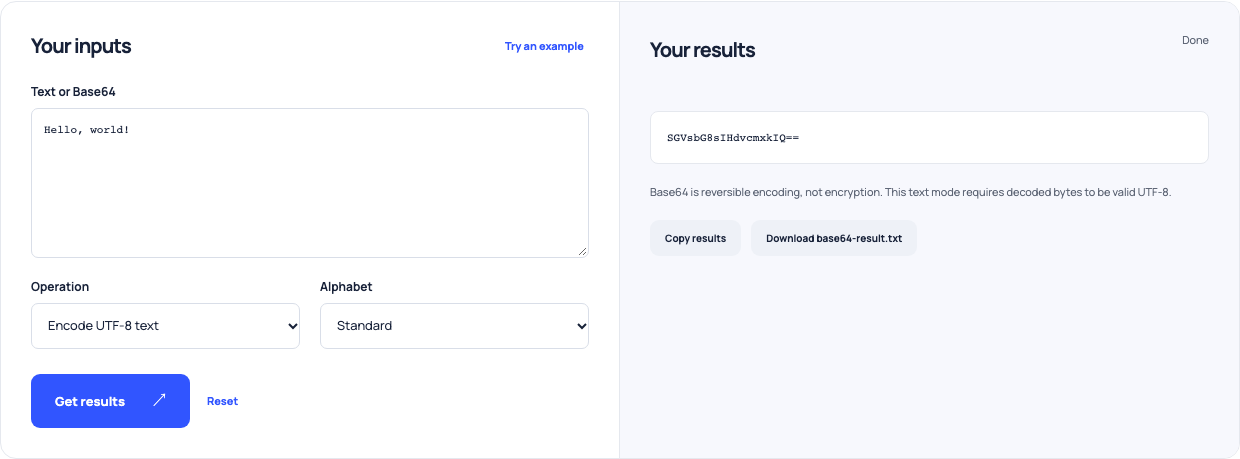
Use this example Opens Base64 encoder and decoder with these inputs.
Choose how a plus sign is read
Decode a+b%20c with Literal plus and it becomes a+b c. With Form space it becomes a b c, because form-encoded query values conventionally use + for spaces. The tool makes that choice explicit. A value such as %2520 contains an encoded percent sign: decoding once gives %20, while a second decode gives a space. Do not repeatedly decode an unknown string until it happens to look familiar.
Check the boundary rather than the appearance
Keep the original value, the producing system and the intended destination beside the result. Test a round trip with a fictional string containing Unicode, spaces, +, /, & and %. Confirm how the receiving system expects padding and query spaces. These tools can explain and transform text conventions; they do not validate authentication tokens, decrypt protected data or decide whether a decoded value is safe to execute.