Calculate Playlist Duration at Different Playback Speeds
Estimate viewing time from supplied durations, playback speed and realistic breaks.
Collect runtimes rather than a URL
The playlist calculator needs one duration per video. It does not fetch a playlist, use an API key or discover unavailable entries. Copy durations from the lessons you will actually watch and remove optional material that is outside your session. Accepted forms include seconds, MM:SS, HH:MM:SS and ISO PT durations. Keep a dated list if the playlist changes; a result only describes the supplied durations.
Reproduce the three-video example
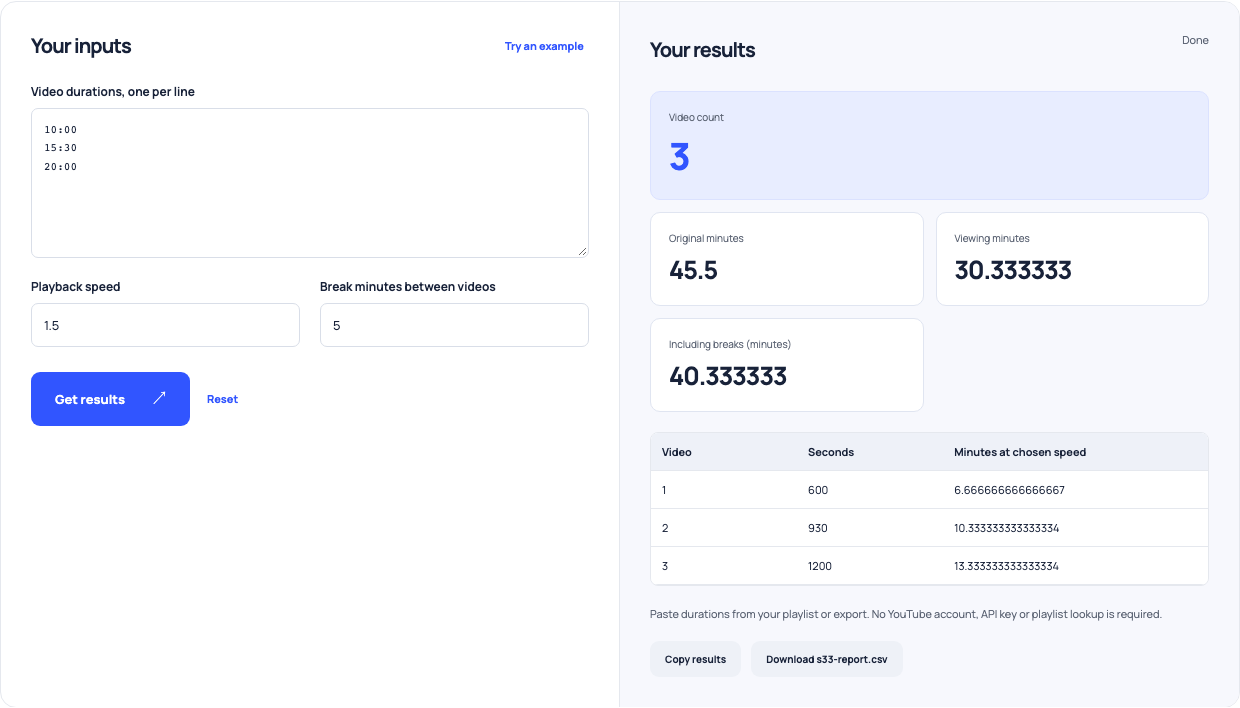
Enter 10:00, 15:30 and 20:00 on separate lines. The sum is 45 minutes 30 seconds, or 45.5 minutes. At 1.5× playback, the video portion is 45.5 divided by 1.5: about 30.33 minutes. The tool reports each video’s adjusted minutes too. This is useful for choosing a stopping point, without pretending that all learning activities shrink with playback speed.
Add breaks in ordinary minutes
With three videos there are two between-video gaps. Five minutes per gap adds ten minutes, so the example session becomes about 40.33 minutes. Do not divide the breaks by 1.5: they are normal clock time. At 1×, the same list plus breaks takes 55.5 minutes; at 2×, it takes 32.75 minutes. Use those comparisons as a schedule estimate, not a recommendation to watch every topic faster.
| Speed | Video minutes | Break minutes | Session minutes |
|---|---|---|---|
| 1× | 45.5 | 10 | 55.5 |
| 1.5× | 30.3333 | 10 | 40.3333 |
| 2× | 22.75 | 10 | 32.75 |
Excludes pauses, exercises, advertisements and buffering.
Use this example Opens YouTube playlist duration with these inputs.
Allow for work beyond watching
Notes, replaying difficult sections, exercises, buffering and advertising are not explicitly modeled. Add your own allowance instead of increasing the input duration and forgetting why it changed. A practical plan separates watching, breaks and active work. If a lesson needs a demonstration followed along at normal speed, choose a slower scenario or split that lesson into a separate session.
Keep the session plan easy to revise
Download the per-video report and compare the estimate with a real session. Update the selected pace or break allowance when the assumptions prove optimistic. Recheck runtimes after a course update. The calculator can keep arithmetic consistent, but it cannot infer how long comprehension or practice will take from the length of a video.