How to Add YouTube Chapters: Timestamp Rules and Examples
Prepare useful chapter titles, validate timestamps, and verify the result after publishing.
Choose the moments a viewer will revisit
Watch the finished edit and note the point where each meaningful section begins. Think about the viewer’s next task: finding a demonstration, replaying a calculation or skipping to troubleshooting. Keep a working list of section names beside those times. A chapter should describe what a viewer will find after clicking, so replace vague labels such as Part 2 with a concrete label such as Setting the baseline or Checking the final result.
Make titles useful out of context
A title has to work for someone scanning the chapter list without watching the previous section. Put the distinguishing idea early and keep adjacent titles different. Introduction, Worked example and Common mistakes can form a simple structure, while a longer tutorial may need separate labels for inputs, setup and interpretation. Do not add a chapter solely to repeat a keyword. The list should reflect the actual edited video and the places a viewer can usefully enter it.
Check the documented timestamp rules
YouTube’s manual chapter guidance calls for the first timestamp at 00:00, at least three timestamps in ascending order, and a minimum chapter length of 10 seconds. Write one timestamp followed by its title on each line. The chapter validator accepts minute-and-second or hour-minute-second formats and normalizes the supplied text. It reads the pasted list; it does not watch the video, generate chapter starts or decide whether a title accurately describes the content.
Validate an example including the ending
Consider a three-minute video with starts at 0:00, 0:30, 1:15 and 2:20. The chapter lengths are 30, 45, 65 and 40 seconds. Entering duration 3:00 lets the validator check the final 40-second chapter as well as the gaps between starts. Without duration, the final chapter remains unverified. A list can have perfectly increasing timestamps and still put its last section too close to the end of the video.
| Start | Chapter | Length |
|---|---|---|
| 0:00 | Introduction | 30 seconds |
| 0:30 | Choose your tools | 45 seconds |
| 1:15 | Build the workflow | 65 seconds |
| 2:20 | Next steps | 40 seconds |
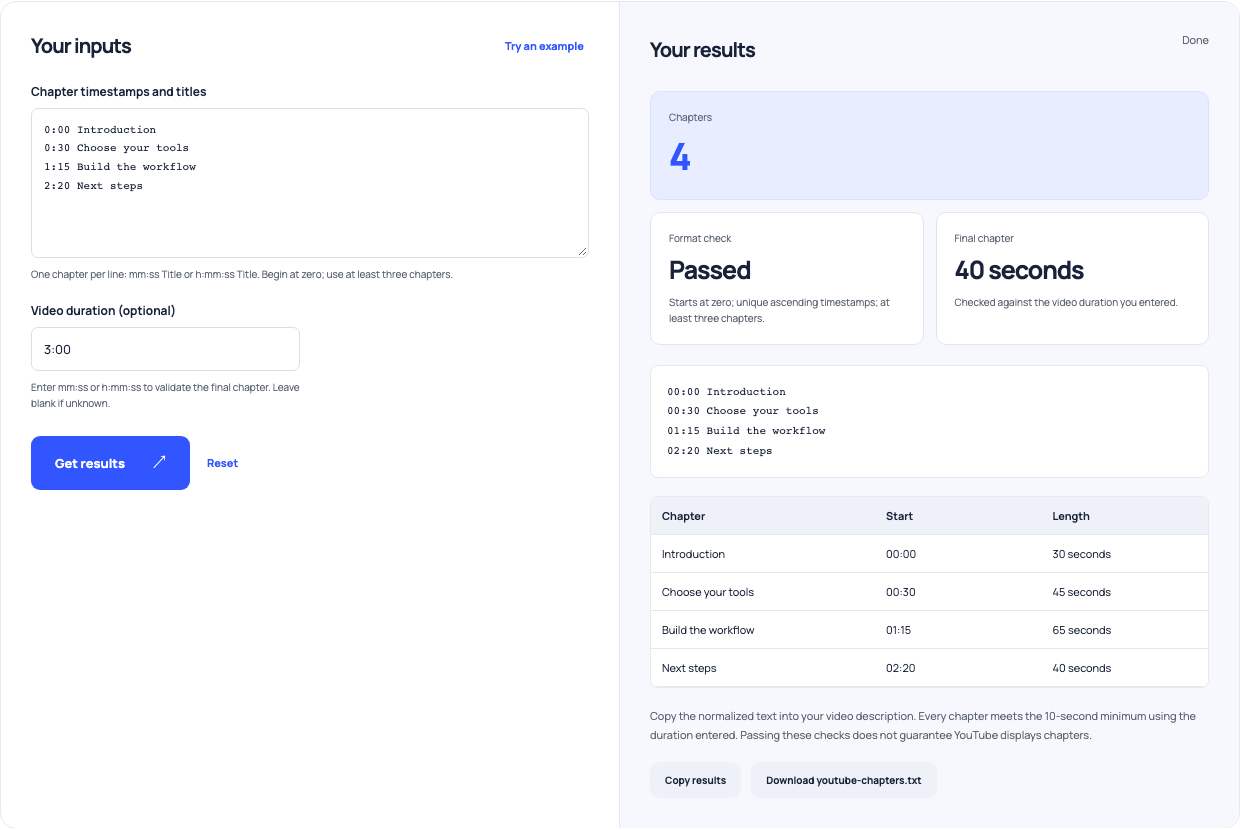
Use this example Opens YouTube chapters with these inputs.
Recheck after editing the video
An earlier draft may no longer match a final cut that removes an intro, inserts an explanation or trims a pause. Revisit every start against the delivered video rather than adding one assumed offset to the whole list. Preview each timestamp at normal playback speed and confirm the section begins where its title promises. Keep the chapter draft with the editing notes so later revisions can be checked against the same source instead of copied from an outdated description.
Separate valid text from platform eligibility
A validator can flag duplicate times, reversed order and short intervals. It cannot establish channel access to advanced features or promise that chapters will appear. YouTube controls feature availability and has rules for manual and automatic chapters. Use the current help page when investigating a missing chapter display. Do not respond to a platform eligibility problem by repeatedly changing a valid timestamp list without first checking the relevant channel settings and published video behavior.
Finish with a published playback check
Copy the normalized chapter text into the video description and save the update. Then open the published video, inspect the description and try the section links. Check that each link lands on the intended material and that the final section contains enough time to be useful. Treat this as a small publishing checklist shared with whoever manages the channel. It verifies the actual viewer experience beyond the syntactic checks a local tool can provide.