YouTube Metadata, Timestamp Links and Responsive Embeds
Prepare a video description, check metadata limits and create timestamp and embed links.
Start from the finished edit
Keep the final video, description draft and source links together. Choose chapter starts by watching the delivered edit, rather than reusing times from an earlier cut. The description template builder assembles the words you supply; it does not invent a summary or disclosure. In its example, the summary introduces a monthly invoice review, with chapters at 00:00, 00:30 and 01:00. Check that the last section has at least ten seconds of actual runtime after its start.
Check the metadata with the right measure
The metadata checker’s example title contains 29 Unicode code points. Its description uses 47 UTF-8 bytes, and its three tags count as 37 characters under the documented tag convention. The API describes a title bound of 100 characters, a description bound of 5,000 bytes and a tag bound of 500 counted characters. A repeated non-ASCII character can use several bytes: 2,501 copies of é use 5,002 UTF-8 bytes. Passing a length check is not a content-quality or upload guarantee.
Give a moment its own link
Paste https://www.youtube.com/watch?v=M7lc1UVf-VE into the timestamp builder and enter 1:30. The result is a watch URL with t=90s. The helper extracts the video ID and drops unrelated supplied parameters. It makes no request to establish whether the video exists or the chosen time falls within its duration. Open the final link yourself after publishing and confirm it lands on the intended explanation.
| Helper | Example output | Still verify |
|---|---|---|
| Metadata checker | 29 title code points; 47 description bytes | Platform acceptance and content accuracy |
| Description builder | Three starts at 00:00, 00:30 and 01:00 | Final chapter duration and disclosures |
| Timestamp builder | 1:30 becomes t=90s | Actual playback destination |
| Embed builder | Responsive privacy-enhanced iframe | Permission, layout and installed playback |
All examples use supplied fictional inputs; no video or account is fetched.
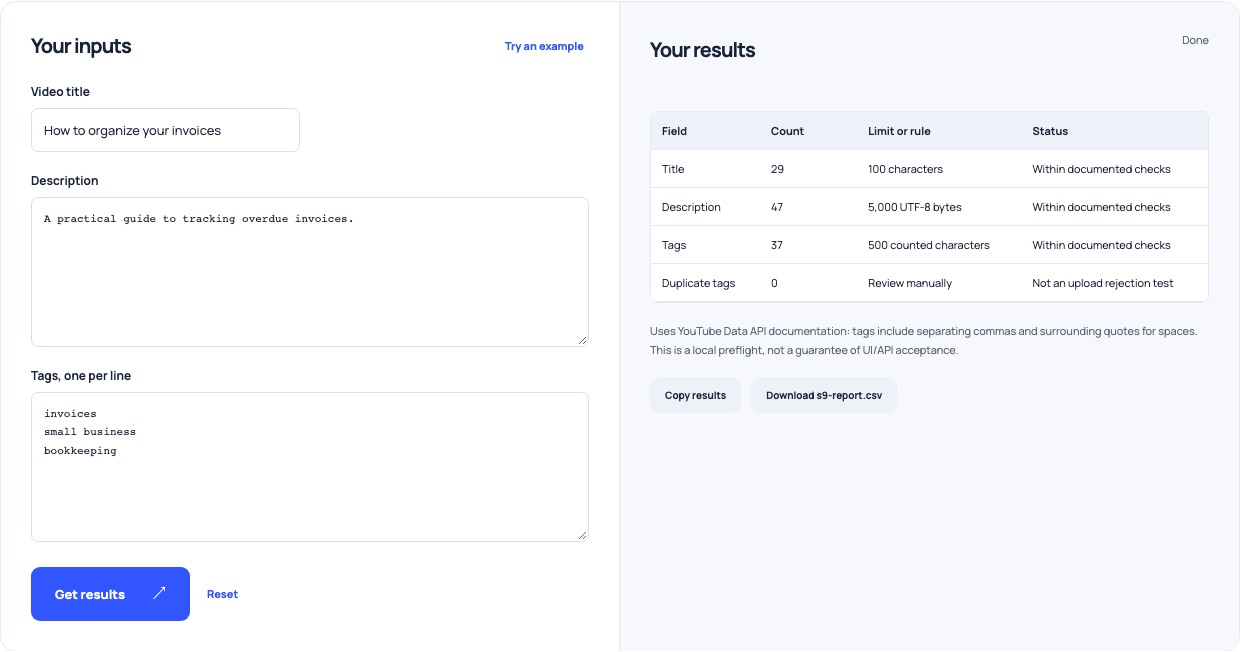
Use this example Opens YouTube metadata length and formatting checker with these inputs.
Prepare an embed for the destination page
Use the same video ID in the embed builder. The default creates responsive 16:9 iframe markup on youtube-nocookie.com with an accessible title, controls and lazy loading. This page displays code without loading a player. Test that code in the actual destination and retain a player viewport of at least 200 by 200 pixels. Privacy-enhanced hosting still contacts YouTube when loaded, and deprecated branding switches are deliberately omitted.
Finish with a viewer check
Read the opening description without watching the video, try the chapter links and inspect the installed embed on a narrow screen. Verify source destinations and truthful sponsorship wording separately. Keep the checked description with the final video version so an edit triggers a new review. These helpers make technical preparation reproducible; they cannot bypass availability, embedding permissions or channel eligibility.