Create, Merge, Split and Reorder PDFs Locally
Assemble a PDF packet with explicit page order, measured split sizes and careful output review.
Keep originals and check file suitability
Work on copies of unencrypted PDFs and keep the original packet intact. The PDF tools process files locally and reject unreadable or encrypted documents. Page copying is not a guarantee that document-level forms, bookmarks, attachments or signatures survive correctly. A visible signature image can remain on a page without the rewritten document retaining its digital-signature validity. Inspect those properties separately when they matter.
Create image pages before merging
Images to PDF puts each selected raster image on its own centered page. The generated example creates one A4 page with a 24-point margin; 72 PDF points equal one inch. It fits the complete image without cropping and flattens it to JPEG on white. It does not add OCR or searchable text. Use the selected-file order deliberately, then open the PDF and confirm orientation and readability.
Make the page selection explicit
The merger copies pages in file-selection order. Its generated sample is a real three-page document. In the organizer, enter 3,1,2 to move the third page first while retaining all three. Entering 3,1 omits page 2 from the new copy. Choose a clockwise rotation to add to every selected page’s existing rotation. The output table maps exported positions to source pages so you can review the exact selection.
| Operation | Example | Important limit |
|---|---|---|
| Images to PDF | One sample image → one A4 page | No OCR; images flattened |
| Merge | Copy all selected file pages in order | Document-level structures need review |
| Organize | 3,1,2 changes page order | Unlisted pages are omitted |
| Split groups | 1-2;3 → two parts | Groups can intentionally overlap |
| Split by size | Measure each serialized part | Cannot compress a single oversized page |
All processing is local. Do not assume digital signatures remain valid after rewriting.
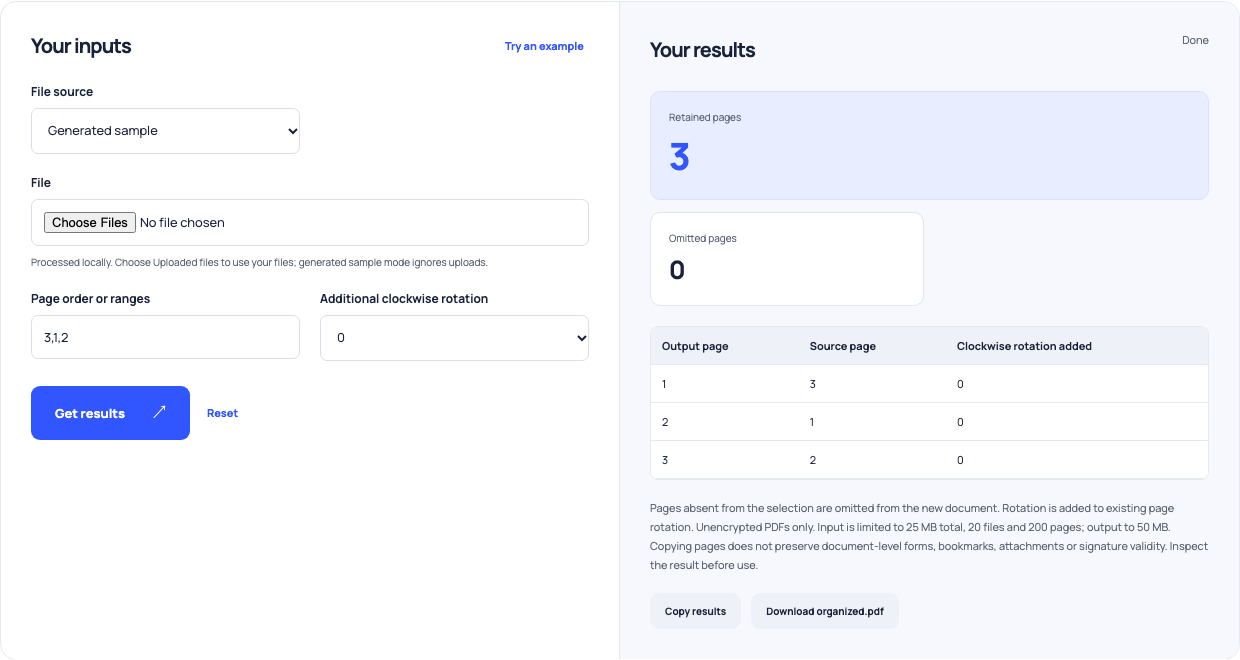
Use this example Opens PDF page organizer and rotator with these inputs.
Split by page groups or measured bytes
The splitter’s generated example uses 1-2;3 to create a two-page part and a one-page part. Maximum-file-size mode measures serialized output bytes, using MiB of 1,048,576 bytes. It grows sequential parts under your chosen limit and rejects a single page that cannot fit. Lowering the limit does not reduce image quality or compress page content. If one page is too large, use a separate content or compression workflow.
Review the complete exported packet
Open every part and compare page count, order, rotation and readability with the intended packet. Check form behavior, annotations and signatures independently. The tools cap input at 25 MB total, 20 files and 200 pages; file-size splitting supports at most 100 source pages. Downloaded copies are the result of a rewrite, so keep originals available until the destination has accepted and displayed the new files correctly.