Markdown Preview, Duplicate Lines and Unicode Text Counts
Preview a draft, clean exact repeated lines and choose the character measure that fits the destination.
Keep writing and cleanup tasks separate
Save the original draft before removing repeated lines or changing markup. The duplicate-line tool compares whole text lines, not parsed CSV records or semantic ideas. The Markdown converter renders a supported dialect, while the statistics tool measures the supplied text. Use each for its own question so a cleanup does not accidentally remove a repeated line that serves a deliberate structural purpose.
Preview the supplied Markdown
The example contains a heading, a paragraph with bold emphasis and a two-item list. The converter produces HTML and a sandboxed preview without executing pasted raw HTML. Raw HTML becomes visible text, images are omitted and unsafe link schemes are removed. GitHub-flavored tables and common list syntax are supported, but another CMS may interpret a different Markdown dialect. Inspect the downloaded HTML in its actual destination.
Remove only the duplicates you mean
The line-cleanup example includes Apple twice, Banana once and a spaced lowercase banana variant. Exact case-sensitive comparison removes only the repeated Apple. Choosing Ignore case and Trim retains the first original Apple and Banana lines and treats the spaced lowercase variant as a duplicate. These choices change the comparison key, not the spelling or whitespace of the first retained line. The order is preserved.
| Task | Example | Meaning |
|---|---|---|
| Exact duplicate lines | Repeated Apple removed | Retains first original occurrence |
| Trim and ignore case | Banana and spaced banana merge | Comparison changes, retained text does not |
| UTF-16 count for 🙂 | 2 | JavaScript string code units |
| Code-point count for 🙂 | 1 | Unicode scalar count |
| Grapheme count for 🙂 | 1 | Visible cluster count |
Word estimates use whitespace and are not appropriate for every writing system.
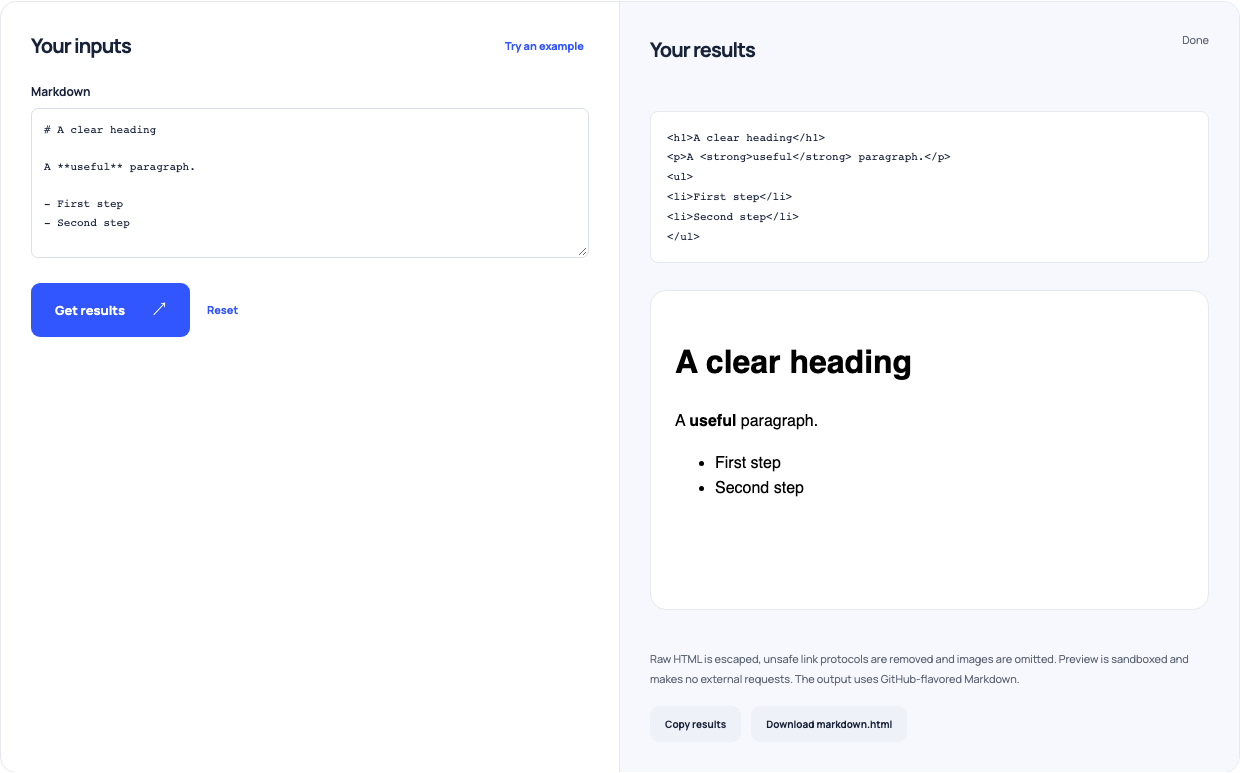
Use this example Opens Markdown to HTML with these inputs.
Count the unit the destination actually uses
The statistics tool separately counts UTF-16 code units, Unicode code points and grapheme clusters. A single 🙂 has two UTF-16 code units, one code point and one visible grapheme. A joined family emoji can contain multiple code points but one grapheme. Words are whitespace-delimited chunks, so this method is approximate for languages without spaces. The example’s two-line prose has six such words; reading time divides that count by your chosen pace.
Verify the final text where it will appear
After cleanup, compare meaningful repeated labels with the original and check rendered headings, lists and links. Choose the character metric required by the publishing system instead of treating every counter as interchangeable. Reading estimates omit pauses and comprehension. A tidy markup preview and a short word count can help editing, but neither proves that instructions are accurate, complete or understandable to the intended reader.